Removing the Addition of Automatic Teams Meetings to Meetings in Outlook
This document outlines steps to be taken by the Jushi Support Desk to remove the addition of automatic Teams meetings to meetings in Outlook
From the Outlook App
- Open Outlook.
- Click the File button at the top-left and then click Options at the bottom-left.
- Navigate to the Calendar tab on the left and uncheck the “Add online meeting to all meetings” box under the “Calendar options” heading.
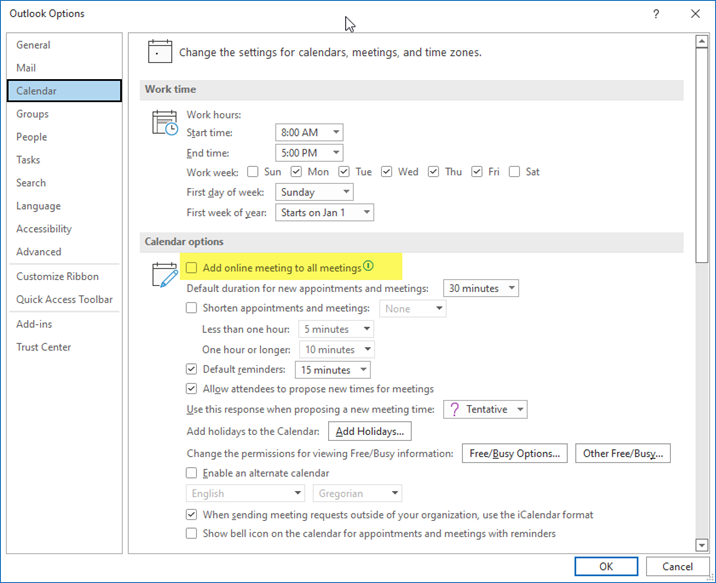
- Click Ok to save settings.
From the Web Browser
- Click the gear (settings) icon from the upper right of the screen.
- Then, click on View all Outlook settings.
- Next, navigate to Calendar, then Events and invitations, and then uncheck the “Add online meeting to all meetings” box.