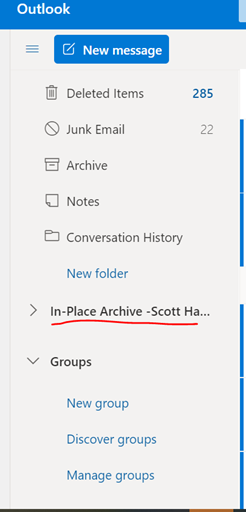
O365 email In-Place Archive User Guide
FYI Note: The In-Place Archive folder can expand to user mailbox size 50GB or 100GB depending on the license type. With the E5 license, the In-Place Folder can expand to 100GB Plus to unlimited archive storage.
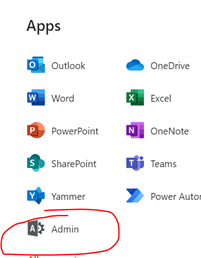
- Log info O365 and go to Admin page
- Search user > Click on user name > Mail Tab > Exchange Property
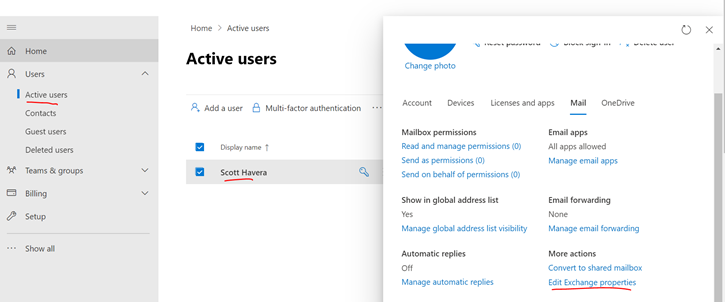
-
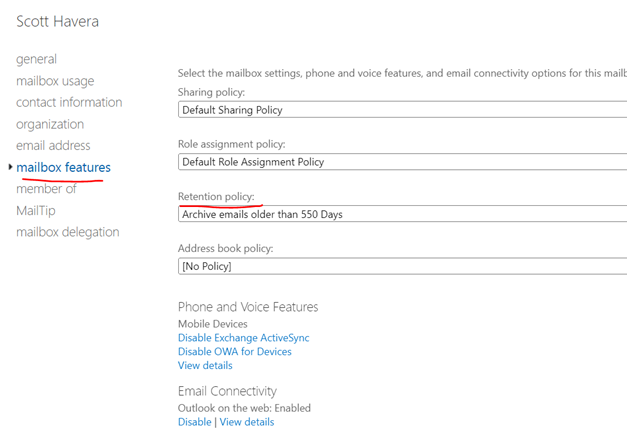
Go to Mailbox Features > Retention Policy > change to the desired Retention policy. (1 year, 1 ½, year, or 2 years)
- For example: email older than 2 years will be under: “In-Place Archive”
- Go back to Admin Center
- Scroll down to Exchange > Mailboxes

- Search User > click on the user > on the right-hand side, select Enabled
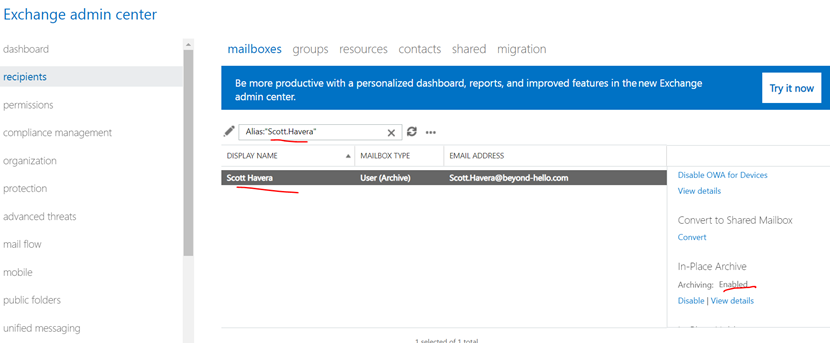
- In-Place Archive will take 3-7 days. It can take 24 hours for the In-Place Archive folder to appear in Outlook
- The user will see In-Place Archive folder in Outlook and Office 365 email client.