Removing Emails from Junk Folder in Outlook
This document outlines steps to be taken by users to remove emails from the Junk Folder in Outlook.
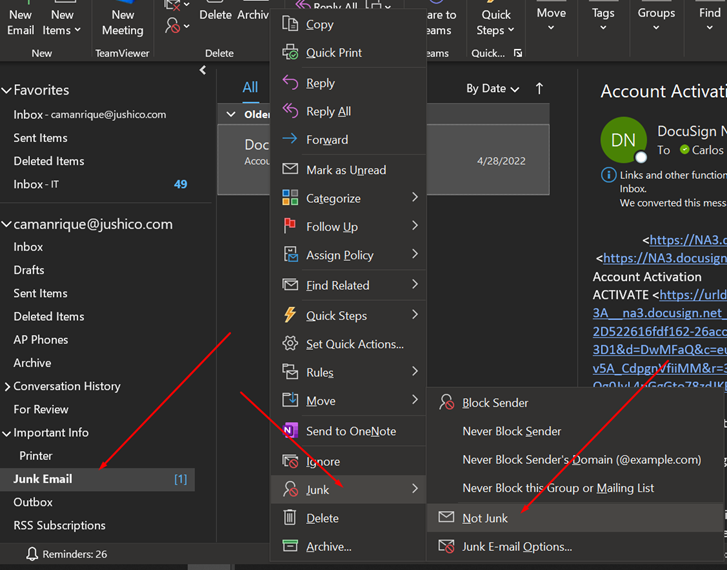
- Navigate to your Junk Email folder in Outlook.
- Right-click on the email that you want to deem “not junk” and hover over “Junk” and then choose “Not Junk”.
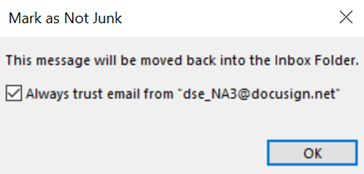
- If a windows pops up follows, you can choose if you want to always trust email from that sender and click OK.
- You can also right-click an email, hover over the Junk option, and then choose from different options to never block that specific sender, that sender's domain, or that group/mailing list.